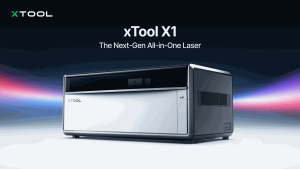
There’s a particular kind of satisfaction in holding something you designed yourself, whether it’s a name engraved into a cutting board, a set of wedding place cards cut from thin wood, or a leather keyring stamped with a tiny logo. A few years ago, getting that level of detail meant outsourcing the job or investing in industrial equipment. Now, a compact machine on a workbench can do it, which is why desktop laser engravers have become one of the most popular tools among makers, crafters, and small business owners. xTool has become one of the best known names in that space.
What a Laser Engraver Actually Does
A laser engraver uses a focused beam of light to mark or cut materials with remarkable precision. You create or import a design on your computer, place the material in the machine, and the laser follows your artwork, burning an image into wood, etching a pattern into leather, cutting a shape from thin acrylic, or marking coated metal. Because everything is controlled digitally, the tenth copy comes out exactly like the first, which is a big reason the technology appeals to people making small batches.
For anyone searching for an xTool laser engraver, the first thing to understand is that the brand offers several types of machines, each suited to different jobs.
Different Lasers for Different Materials
The lineup spans a few core laser technologies, and knowing the difference saves a lot of confusion:
Diode lasers are the most common entry point. They work well on wood, leather, cardboard, and many coated surfaces, and they come in both open frame and fully enclosed designs. xTool’s enclosed diode models are popular with home users because the enclosure helps contain the beam, smoke, and debris.
Fiber and infrared lasers are built for marking bare metals and other hard surfaces, which makes them a favourite for jewellery, tags, and tools. Some xTool models pair a diode laser with an infrared or fiber source so a single machine can handle both organic materials and metal.
CO2 lasers are generally better for cutting thicker non metal materials such as acrylic, and they are used by people who want to cut larger pieces. xTool offers CO2 models for those larger, more demanding projects.
There are also hybrid craft machines that combine a laser with other functions, such as blade cutting or printing, aimed at people who make stickers, cards, and similar projects.

Choosing the Right Model for You
The best machine depends less on specifications and more on what you plan to make. If you’re a hobbyist who wants to try engraving wood and leather, an enclosed diode laser is a sensible and safer starting point. Anyone looking for a laser engraver for beginners should pay attention to ease of setup, safety features, and software, not just raw power.
If you want to engrave jewellery or metal tags, look at models with fiber or infrared capability. If you plan to cut larger or thicker pieces, a CO2 machine is worth considering. And if you want portability for craft fairs, there are compact options designed for small batches.
Software That Doesn’t Require a Design Degree
xTool machines are designed to work with xTool Creative Space, a free design and control program that many beginners find approachable. You can import images, add text, arrange shapes, and send the job to the machine, and some models include cameras that let you position your design directly on the material. Many models are also compatible with LightBurn, a popular paid laser program that offers finer control for more experienced users. Software always takes some practice, and reviewers have noted that the more advanced features can have a learning curve.
From Hobby to Side Business
Plenty of people begin with a machine for gifts and end up selling what they make, whether through online shops, markets, or custom orders. Personalised items such as engraved cutting boards, jewellery, signs, and event decor remain popular because people enjoy customised pieces. Of course, results depend on your skills, your designs, and your market, so it’s wise to treat any business plan realistically and start small.
Safety Comes First
Lasers are powerful tools and should be treated with respect. Wear the recommended eye protection, never leave a running machine unattended, keep a fire extinguisher nearby, and make sure the workspace is well ventilated, using the exhaust or filtration the manufacturer recommends. Only cut or engrave materials that are safe for lasers, and avoid materials such as PVC and vinyl, which can release harmful fumes. An enclosed model adds a layer of protection, but it doesn’t replace common sense. Always follow the safety instructions that come with your machine.
Things to Consider Before You Buy
Prices vary widely between models, and accessories such as rotary tools, extraction systems, risers, and extra modules can add to the total cost. The product lineup also changes, with older models being replaced by newer versions, so check which models are currently available. Think about where you’ll place the machine, how you’ll ventilate it, and how much time you can invest in learning. Reading recent reviews and checking the warranty and support terms is always worthwhile.
The Bottom Line
A desktop laser engraver can turn a spare corner of a room into a small workshop capable of producing surprisingly professional results. xTool’s range, from enclosed diode machines to metal marking and CO2 cutters, gives beginners and experienced makers plenty of choice. With sensible safety habits and a clear idea of what you want to create, it can open up a creative hobby, or even a small business, you may not have thought possible.